How pool notifications work
Get alerts on Telegram, Discord, ntfy or web push for block finds, payouts, offline workers and hashrate drops, with no account required.
What you can be alerted about
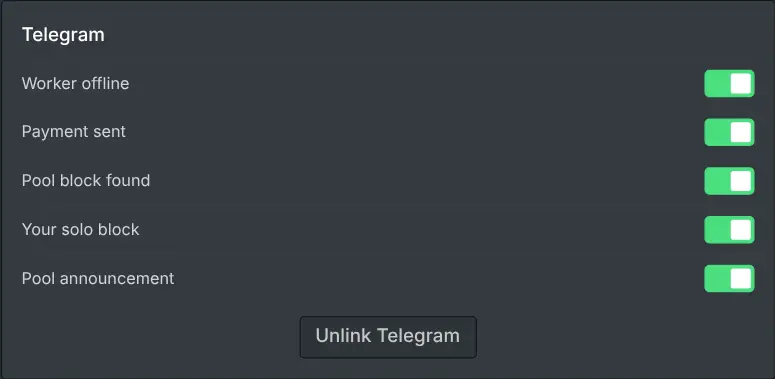
The pool can notify you about the events that matter: a block found by the pool, a block you found solo, a payment sent to you, a worker that has gone quiet, a meaningful drop in your hashrate and a pool announcement. You choose which of these you want, so you can keep just the critical alerts and mute the rest. A reply to a support ticket can reach you the same way: you choose its channels on the ticket itself.
Channels you can use
Alerts are delivered over the channel you prefer: Telegram, Discord, ntfy or a browser web push. You link a channel once from your dashboard settings; there is still no account, the link simply tells the pool where to send your chosen alerts. You can unlink it again at any time.
Worker offline and hashrate drop
The offline alert fires when a worker stops submitting shares for a while, so you learn about a dead rig without watching the dashboard. The hashrate-drop alert warns you when your accepted hashrate falls meaningfully, which often means an unstable overclock, a bad connection or a card that has stopped. Both are optional: like every event, they start switched on when you link a channel, and you can switch either off.
Privacy and control
Notifications are opt-in and store only what is needed to deliver them (the channel you linked and your event choices), plus a list of the most recent notifications sent to you so your dashboard can show them; the dashboard states how many it keeps and for how long. Nothing is shared with anyone else, and turning an alert off stops it immediately. It is a convenience layer on top of mining, never a requirement.