How to find your worker IP address
Payout settings changes are verified against your worker IP. Here is exactly which IP the pool means and how to find it on any system.
Why the pool asks for an IP
There is no account and no password on the pool, so settings that matter, like your minimum payout, must be protected another way: changes are only accepted from a network your own rigs mine from. While you are mining, that is the network you have been mining from the longest; the payout settings tab shows its masked IP so you know which one to enter.
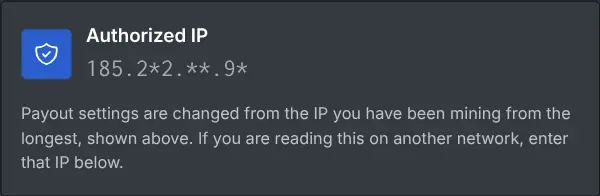
Which IP it is
The pool sees the public IP of the internet connection your rig uses, not the local 192.168.x.x address of the machine. So the question "what is my worker IP" really means "what is the public IP of the network my rig is on".
The way that works everywhere
From any device on the SAME network as the rig, search "what is my IP" in a browser, or run this in a terminal (Windows PowerShell, Linux, HiveOS shell all work):
curl ifconfig.meThe answer is the public IP the pool sees for every rig on that network.
Farms and multiple rigs
All rigs behind the same router share one public IP, so one lookup covers the whole farm. If your rigs are split across locations, each location has its own public IP; use the one of the location you have mined from the longest, which the payout tab shows masked. Note that home connections can get a new IP when the router reconnects. The previous IP keeps working for a while, and the new one does once the rig has sent a good number of shares from it.